Network engineers
One button, forty switches
Push the same change across an estate with a prompt for the value and a gate before it commits — instead of pasting the same block into the thirty-eighth device at ten past six.
SSH · Serial · Version 1.7.0
Connect over SSH or serial. Turn repetitive procedures into guarded buttons with prompts, checks, approvals, and a complete audit trail.
It now arrives with 2,714 of them already built — Cisco, Junos, FortiGate, Proxmox, Asterisk and 15 more. Nothing to download; it is in the app.
PuTTY on steroids, if you want the short version.
Free. No account needed to download. Builds are currently unsigned — what that means.
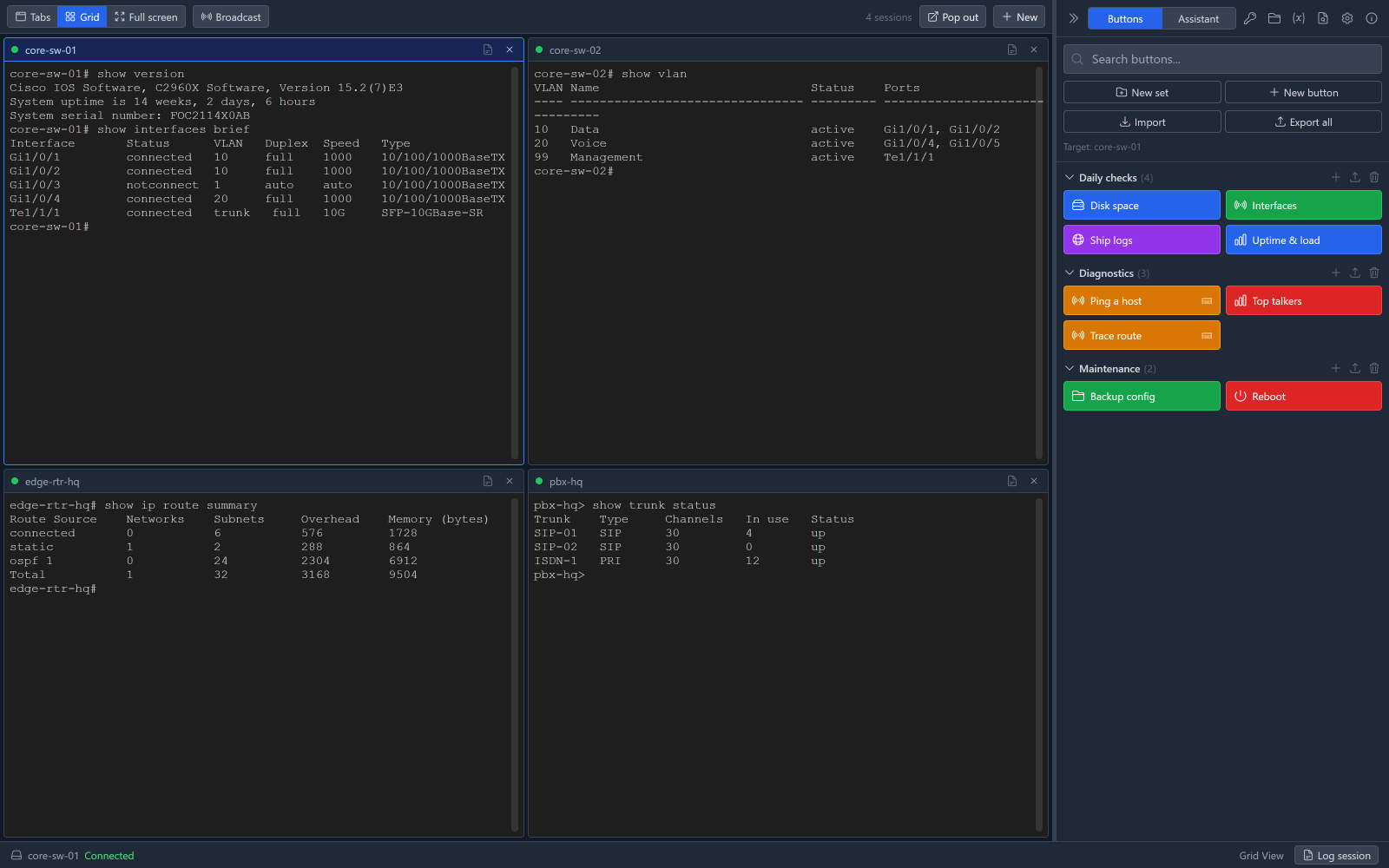
A real workflow
Not a demo procedure. This is the shape of the job that comes back every few months, and the reason the buttons exist: it is four commands, and the risk is never the four commands — it is doing them forty times, at ten past six.
Connect to the devices
Pick them out of a folder and open them together. SSH and serial in the same window, in tabs or a grid.
Press the procedure button
Built once, by whoever knows the procedure. Everyone else presses it — and can still read every command in it.
Answer the prompt
The button asks for the value that changes: the syslog collector, the NTP server, the VLAN. One button covers every site.
Confirm the change
A gate in front of anything irreversible. Answer no and the run stops there, before the write.
Run it across the selected sessions
Broadcast fires the button at every connected session, waiting for each device's prompt rather than firing blind.
Review the audit log
Which button, against which connection, when, and what came back. Exports to CSV or JSON for the ticket.
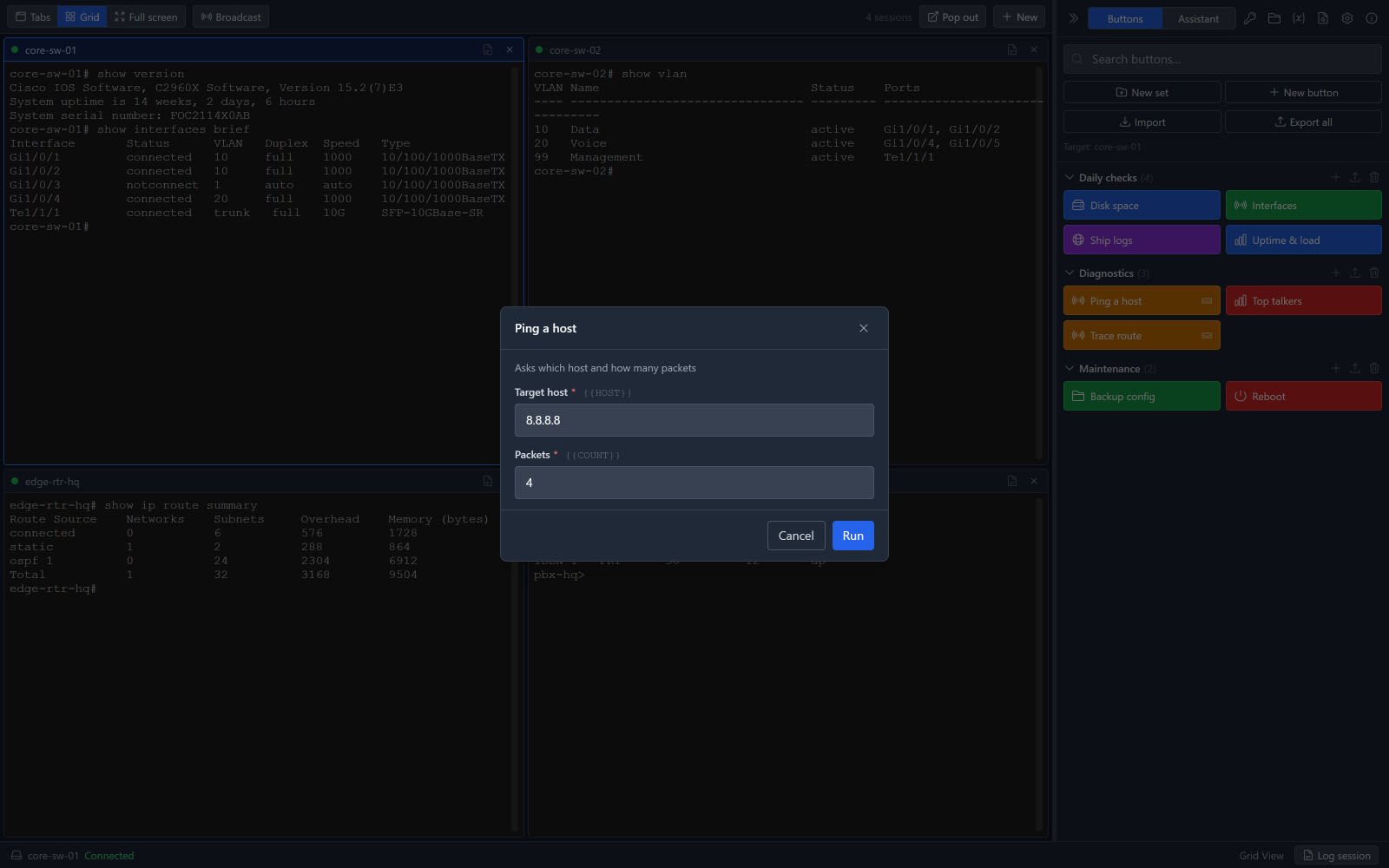
Step three: the button stops and asks. Nothing has been sent to a device yet.
Network engineers
Push the same change across an estate with a prompt for the value and a gate before it commits — instead of pasting the same block into the thirty-eighth device at ten past six.
Telecom and PBX technicians
Serial with the settings you expect on a console server, and a wake-up sequence that is a button rather than a ritual you half-remember.
MSP and IT support teams
The engineer who knows builds it once; everyone else presses it, with the commands still visible and a log of what was done on whose kit.
A button sends text to the session. It can also wait for a prompt, ask you a question part way through, branch on what came back, or call another button. You build it by stacking coloured blocks — the same way you would explain the procedure to a colleague.
Or you start from one of the 2,714 that ship with the app, copy it into a set of your own and change the two lines that are wrong for your kit. Reading someone else's button is the fastest way to learn what the blocks do, which is most of why they are there.
Values that are the same every time but different on every engineer's machine — your syslog collector, your TFTP host, your site code — go in global variables. Set once, used by every button, and never published when you share the set.
Reload a switch, safely
What a real button looks like once it is built
Asks yes or no: “Reload core-sw-01 now? Everything on it drops.”
Answering no stops the script here.
copy running-config startup-configSends Enter afterwards.
Waits for
#\s*$
for up to 15.0 s
reloadSends Enter afterwards.
Waits for
Proceed with reload
for up to 10.0 s
Sends Enter afterwards.
Export a set of buttons and share it. Import someone else's. Every set on this site is shown in full — every step, every command, exactly as it will be sent — before you download it. Nothing is hidden behind a download button, and anything that reboots or erases is flagged.
This is the community's work, and it is separate from what ships with the app. Listings say which is which, so you never download a set you already have.
EX, MX and SRX: candidate config, commit confirmed, BGP and policies.
The app already ships Juniper Junos.
FortiOS policies, VPNs, SD-WAN and the session-table diagnostics.
The app already ships Fortinet FortiGate.
tmsh: virtual servers, pools, members, certificates and failover.
This runs commands on your production equipment. Here is where it stands, including the parts that are not finished.
I spend my days on switches, routers, phone systems, Linux servers and things with a DB9 on the back. The work is not difficult so much as repetitive and unforgiving: the same procedure, on the same kind of device, for the fifteenth time — and the one time it goes wrong is the time somebody was in a hurry.
The usual answer is to write a script, and then you have a script per job, per vendor, per site, in a language the next person will not maintain. I wanted the procedure to live where the session lives — to ask for the bits that change, stop before the irreversible step, and leave a record afterwards.
It sees the session transcript and suggests the next command. It is read-only by design: it proposes, you press the key. Point it at Claude or OpenAI, or run Ollama on your own machine so nothing leaves the building.
It is a convenience, not the point of the product — the buttons are. Everything it does.
Type into a session and it works out what you are actually running — not the first word, so
sudo -u root tcpdump -i eth0 is a
tcpdump question. The page opens
beside the terminal, and every example is a small builder: fill in the blanks, then copy it, put
it on the command line and edit it, or run it.
It picks the page that matches what you are connected to — Cisco IOS on a switch, Windows at a PowerShell prompt — and anything that looks destructive shows you the command and the box it is going to before it is sent. Around 7,400 pages, cached locally, working offline.
Documentation, not a safety review. How it works.
Windows installer and portable build, Debian and RPM packages, an AppImage, and macOS disk images for Apple silicon and Intel. All 64-bit.